Rift

All-in-one bot for Discord communities

Discord management,
perfected.

Moderation, tickets, and tools that feel native in Discord — configured from a clean web panel.

Discord — Rift
ticket-aria
Rift bot avatar

RiftBotToday at 4:12 PM

@Staff

🎟️ aria's Ticket

Hello @aria,
Thank you for reaching out! A member of our support team will be with you shortly.

Rift | Ticket System | TicketID: 123456

🎟️ Ticket Q&A

What is the issue you want to report?
I have a question about the bot's features and how to use them effectively.

Rift | Ticket System | Use /ticket to manage tickets.

felix

felixToday at 4:13 PM

Hey! Can you tell me more about the issue you're facing?

Check Rift's features and modules in the dashboard.

01

Server analytics, without the noise.

With Rift, you can easily track your server's performance and make data-driven decisions to improve engagement and retention. Our analytics dashboard provides you with the insights you need to grow your community.
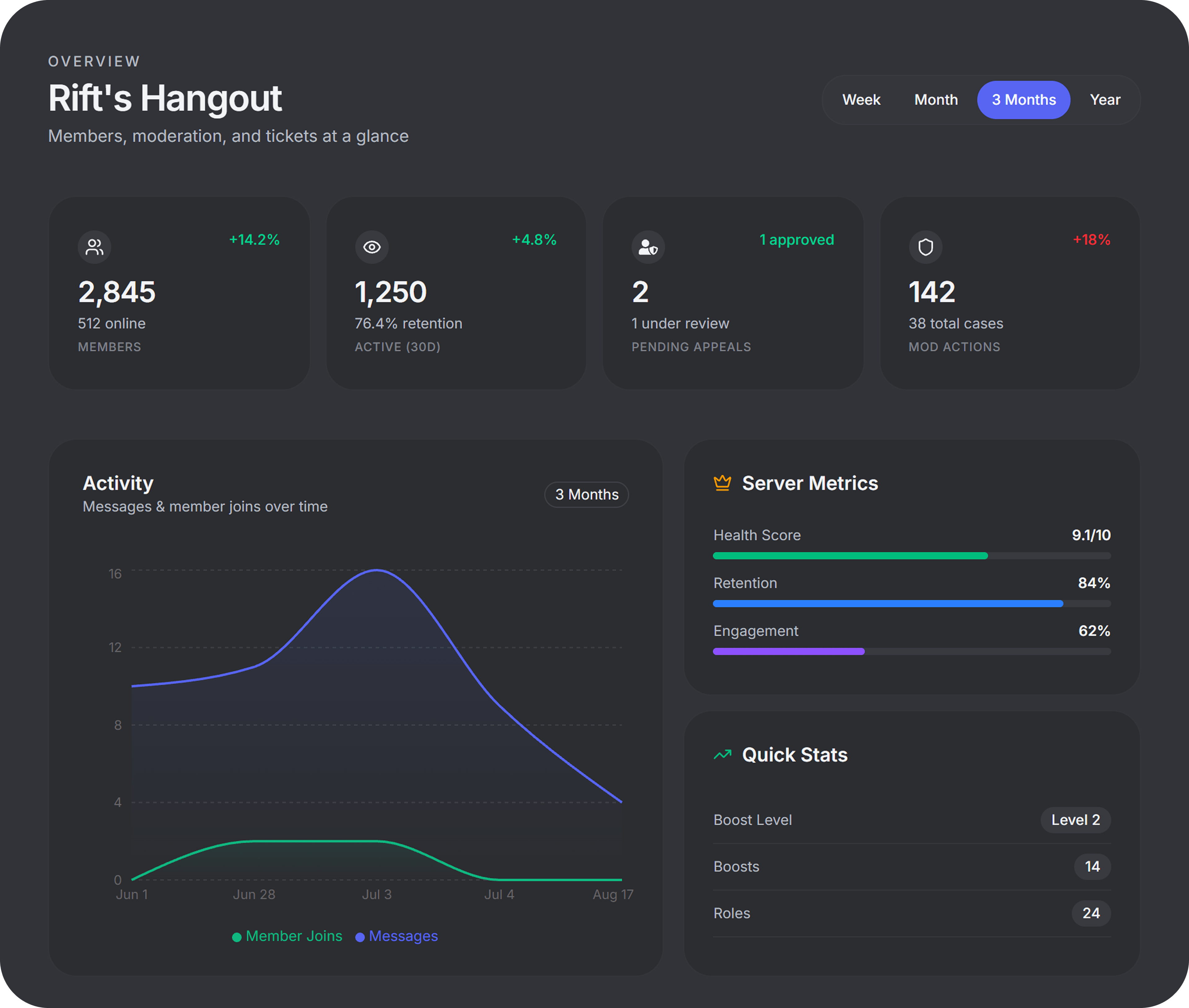
Server analytics dashboard

02

Moderate with confidence and clarity.

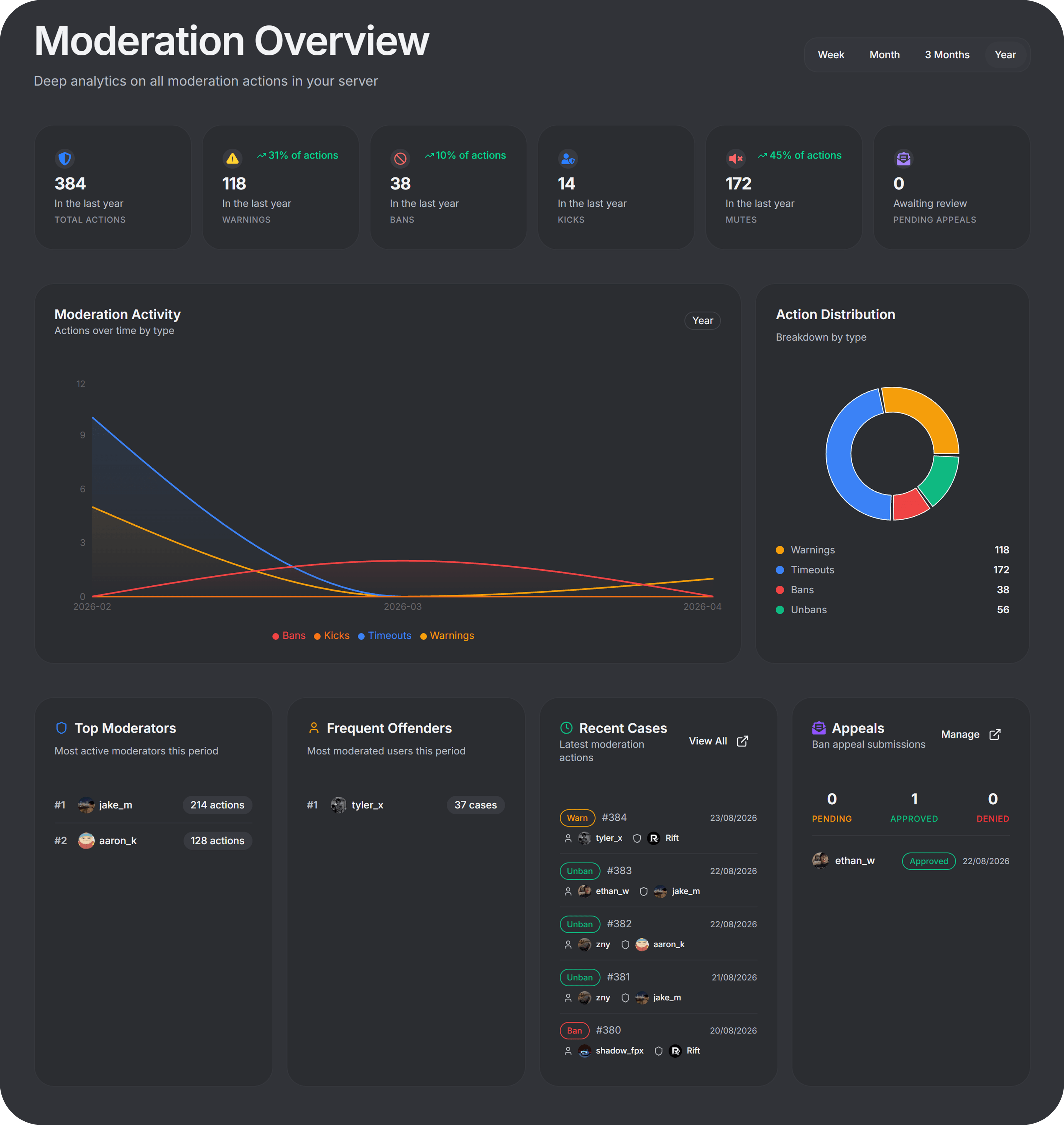
Using our dashboard, you can easily manage your server's moderation history and make informed decisions. With our intuitive interface, you can quickly view and manage moderation cases, ensuring that your server remains a safe and welcoming space for all members.

Moderation cases dashboard

03

Tickets and appeals, without the chaos.

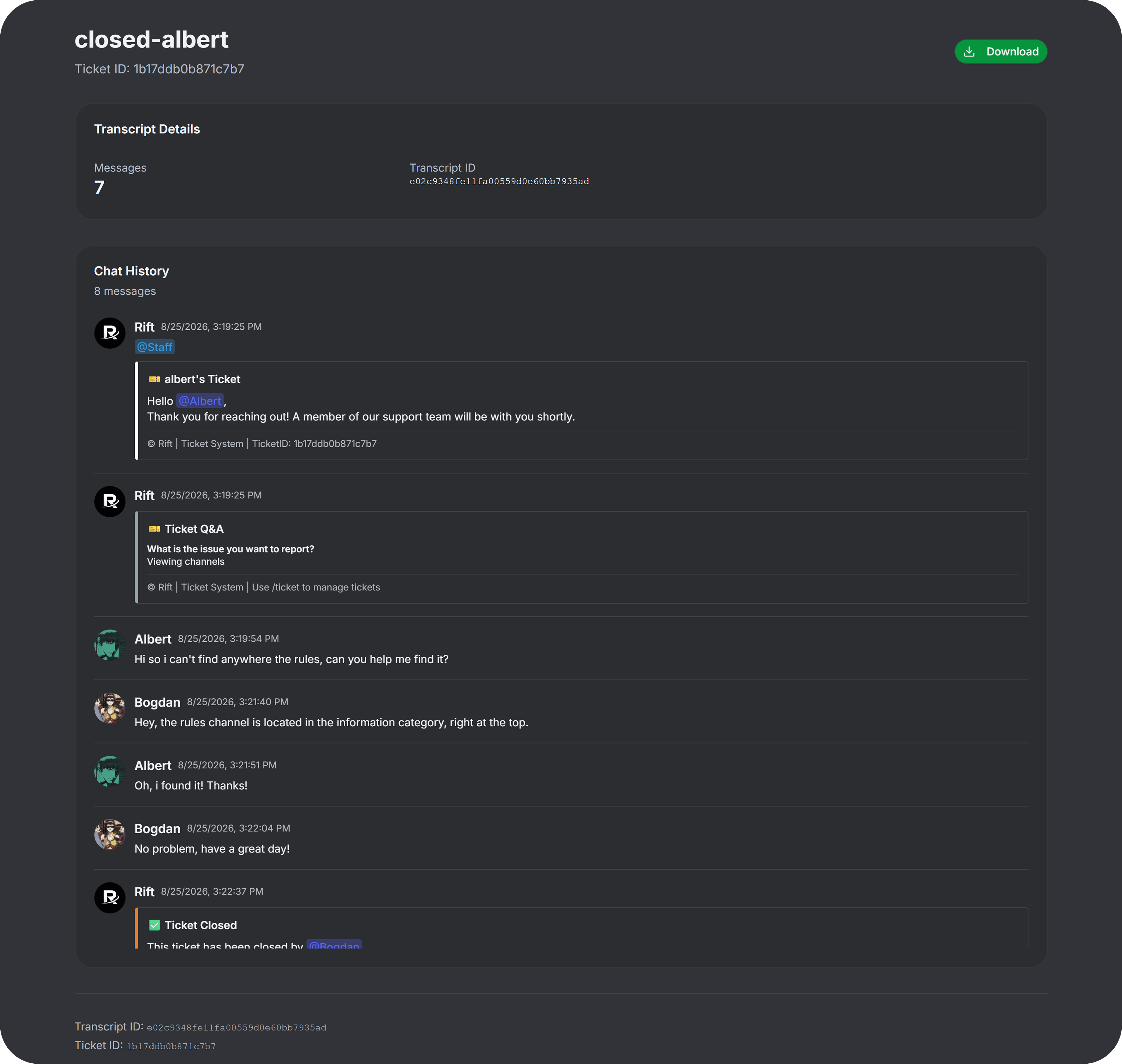
Rift's ticketing system is designed to help you manage your server's support requests and appeals in a streamlined and efficient manner. With our dashboard, you can easily view and respond to tickets, track their status, and keep your community happy.

Discord ticket system and web transcript viewer

04

Greetings and community, made easy

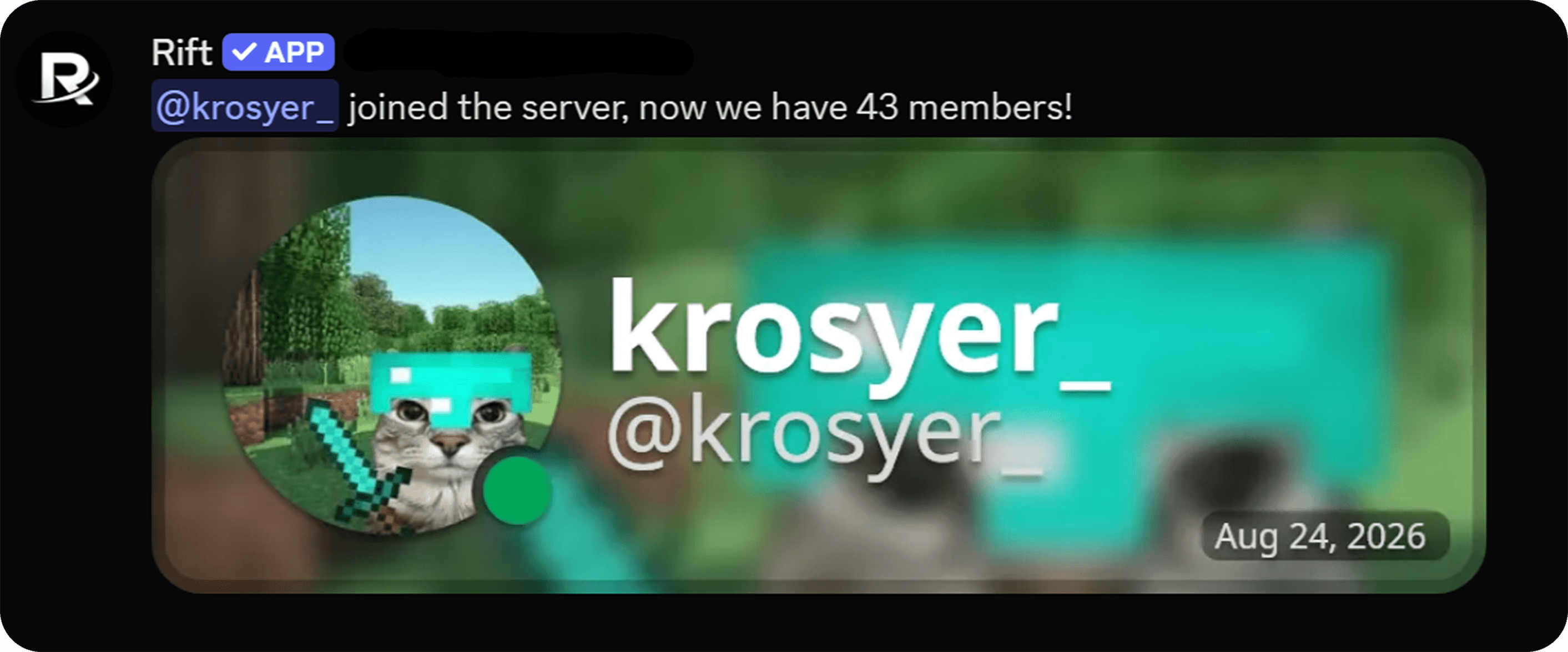
Rift's community features are designed to help you engage with your members and build a thriving community. With our dashboard, you can easily set up welcome messages, announcements, and other community features to keep your members informed and engaged.

Welcome and community

Commands

It looks like Discord because it is

Slash commands for staff and members. The dashboard for everything that should not live in chat.

# commands
aria

ariaToday at 4:08 PM

/ban @spammer raid attempt

Rift

RiftBot

Banned spammer. Case #184 logged.

kai

kaiToday at 4:09 PM

/ticket open billing

Rift

RiftBot

Created ticket in #ticket-392.

jun

junToday at 4:11 PM

/daily

Rift

RiftBot

Claimed 250 coins. Streak: 12 days.

Setup

Up in a few minutes

01

Invite Rift

Add the bot to any server you manage.

02

Sign in

Authenticate with Discord and select the server you want to manage.

03

Turn on modules

Enable the features you want to use and configure them to your liking.

Invite Rift. Configure later.

Free to add. Open the dashboard when you want to turn modules on.

Need help? Join the support server